 InkStone
Contents
Some media placement variants may not render correctly inside Obsidian, but they will appear as intended on the website. If needed, run InkStone locally to preview the final result.
Single image — lightbox
![[terminal.jpg]]

Renders as a clickable image that opens a full-screen lightbox.
Caption
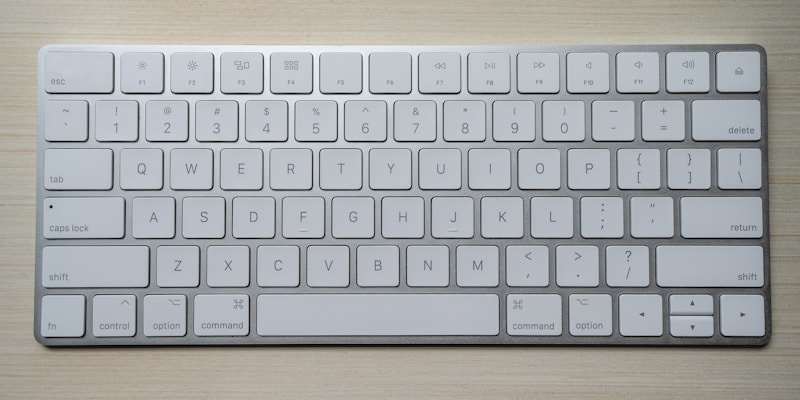
![[keyboard.jpg|The caption is shown below the image and as alt text.]]
Centered image
Use the inline flag to render a centered block figure that is not part of the lightbox:
![[desk.jpg|inline]]
![[desk.jpg|inline 400]]
![[desk.jpg|inline 400 A caption]]

Float image beside text
Use left or right to float an image so surrounding text wraps beside it:
![[desk.jpg|left]]
![[desk.jpg|right 300]]
![[desk.jpg|left 300 A caption]]
Text wraps beside the image and returns to full width automatically once it clears the image height. A new heading also clears any preceding float. Use --- only when you need to explicitly push content below the image mid-paragraph.
![[desk.jpg|left 250]]
This paragraph wraps beside the image. Once the text clears
the bottom of the image it continues at full width naturally. (x5)

### New section
This heading clears the float automatically.
Float images do not open a lightbox when clicked.
Example:
This paragraph wraps beside the image. Once the text clears the bottom of the image it continues at full width naturally. This paragraph wraps beside the image. Once the text clears the bottom of the image it continues at full width naturally. This paragraph wraps beside the image. Once the text clears the bottom of the image it continues at full width naturally. This paragraph wraps beside the image. Once the text clears the bottom of the image it continues at full width naturally. This paragraph wraps beside the image. Once the text clears the bottom of the image it continues at full width naturally.
New section
This heading clears the float automatically.
Slider
Multiple embeds on the same line become a swipeable slider:
![[desk.jpg]]
![[keyboard.jpg]]
![[terminal.jpg]]
Separate gallery
Multiple embeds on separate lines become a lightbox gallery (thumbnails, numbered, navigable):
![[desk.jpg]]
![[keyboard.jpg]]
![[terminal.jpg]]
Banner image
Set a banner with banner: in frontmatter. The value is the filename inside _attachments/:
---
website: true
banner: desk.jpg # when the image is in the same folder as the note
banner: _attachments/desk.jpg # if the _attachments folder is in the same folder as the note
banner: /_attachments/desk.jpg # if the _attachments folder is in the root of the vault (as set on this page)
banner_y: 1.0
---
banner_y is the vertical focal point: 0.0 = top crop, 1.0 = bottom crop, 0.5 = centre (default).
Video
![[demo.mp4]]
Renders a native <video> element with controls.
Audio
![[Tetris theme.mp3]]
Renders a native <audio> element with controls.
Attachment lookup order
When InkStone resolves ![[filename]], it searches in this order:
_attachments/folder next to the current.mdfile- Vault root
_attachments/folder ATTACHMENTS_PATHenvironment variable (if set)
Put images in a _attachments/ subfolder next to the markdown file. A post in blog/ uses blog/_attachments/. This keeps attachments scoped and portable.
Flag reference
| Syntax | Effect |
|---|---|
![[img.jpg]] |
Lightbox gallery image |
![[img.jpg\|inline]] |
Centred block figure, not in lightbox |
![[img.jpg\|left]] |
Float left, text wraps right |
![[img.jpg\|right]] |
Float right, text wraps left |
![[img.jpg\|300]] |
Max-width 300 px |
![[img.jpg\|My Caption]] |
Caption below image |
![[img.jpg\|left 300 My Caption]] |
Combine flags freely |